
Introduction
A mouse pad may seem like a simple desk accessory, but it plays a much bigger role than most people realize. Whether you are a gamer, office worker, graphic designer, student, or casual computer user, the right mouse pad can completely change the way your mouse performs. Smooth movement, better precision, wrist comfort, and desk protection are just a few of the benefits that come from using a quality mouse pad.
Many people think modern optical mice no longer need mouse pads. While it is true that today’s mice can work on many surfaces, a proper mouse pad still improves accuracy, consistency, and overall comfort. It also helps extend the life of your mouse by reducing dust buildup and unnecessary wear on the mouse feet.
In recent years, mouse pads have evolved far beyond the basic rectangular pads people used in the past. Today, you can find gaming mouse pads, RGB mouse pads, ergonomic designs, extended desk mats, and premium materials made specifically for different tasks. Choosing the right one can improve productivity and even enhance your gaming experience.
What Is a Mouse Pad?
A mouse pad is a flat surface designed to improve the movement and tracking of a computer mouse. It creates a controlled surface that allows the mouse sensor to perform more accurately. Mouse pads are commonly made from cloth, rubber, plastic, leather, or hybrid materials depending on the intended use.
Originally, mouse pads became popular when older ball mice struggled to track movement on smooth desks. Modern optical and laser mice are much more advanced, but mouse pads are still widely used because they provide consistent tracking performance. This consistency is especially important for gamers and professionals who rely on precise cursor movement.
Mouse pads also help create a cleaner and more organized workspace. Instead of dragging your mouse directly across a desk surface, the pad protects both the desk and the mouse from scratches and dust. Many users also choose mouse pads because they add style and personality to their setup.
Different Types of Mouse Pads
Cloth Mouse Pads
Cloth mouse pads are the most common option available today. They are soft, comfortable, and usually affordable. The fabric surface allows smooth mouse movement while maintaining good control, making them ideal for gaming and office work.
One major advantage of cloth mouse pads is comfort during long hours of use. Since the material is soft, it feels gentle on the wrist and hand. Gamers often prefer cloth pads because they offer balanced speed and control for precise aiming.
However, cloth mouse pads can absorb dust and sweat over time. Regular cleaning is important to maintain performance and hygiene. Despite this, they remain one of the most popular choices because of their versatility and comfort.
Hard Surface Mouse Pads
Hard mouse pads are made from materials like plastic, aluminum, or tempered glass. These pads provide a faster glide compared to cloth surfaces. Users who prefer quick mouse movement often choose hard pads for competitive gaming.
The smooth surface reduces friction, allowing the mouse to move effortlessly. This can improve reaction speed during fast-paced games or detailed design work. Hard pads are also easier to clean because they do not absorb moisture like cloth pads.
On the downside, some users find hard pads less comfortable during long sessions. They may also produce more noise when moving the mouse quickly. Still, they are excellent for users who prioritize speed and durability.
Ergonomic Mouse Pads
Ergonomic mouse pads are designed with wrist support to reduce strain during extended computer use. These pads usually include a soft gel or foam wrist rest that keeps the wrist in a natural position.
People who spend many hours working at a computer often experience wrist pain or fatigue. Ergonomic mouse pads help minimize pressure on the wrist and may reduce the risk of repetitive strain injuries.
Although ergonomic mouse pads are highly comfortable, they may not be ideal for competitive gaming because the wrist rest can slightly restrict rapid movement. They are best suited for office work and everyday computer use.
Why Gamers Use Mouse Pads
Gaming requires precise control and consistent tracking. A good mouse pad ensures that every movement is accurately detected by the mouse sensor. This can make a significant difference in competitive games where reaction time and aiming precision matter.
Large gaming mouse pads are especially popular because they provide enough space for wide arm movements. Low-sensitivity gamers often move the mouse across large distances, and a bigger surface prevents interruptions during gameplay.
Another important factor is consistency. Different desk surfaces can affect how a mouse sensor tracks movement. A gaming mouse pad provides a uniform texture that improves reliability during intense gaming sessions.
Many gaming mouse pads also feature stitched edges, waterproof coatings, and anti-slip rubber bases. These features improve durability and prevent the pad from moving during fast gameplay.
Mouse Pad Sizes and Shapes
Small Mouse Pads
Small mouse pads are compact and easy to carry. They are suitable for office work, travel, and limited desk spaces. Users who primarily use high mouse sensitivity may find small pads sufficient.
Despite their convenience, small mouse pads may feel restrictive for gamers or creative professionals who need larger movement areas. They work best for basic everyday tasks.
Small mouse pads are usually the most affordable option, making them popular among casual users and students.
Extended Mouse Pads
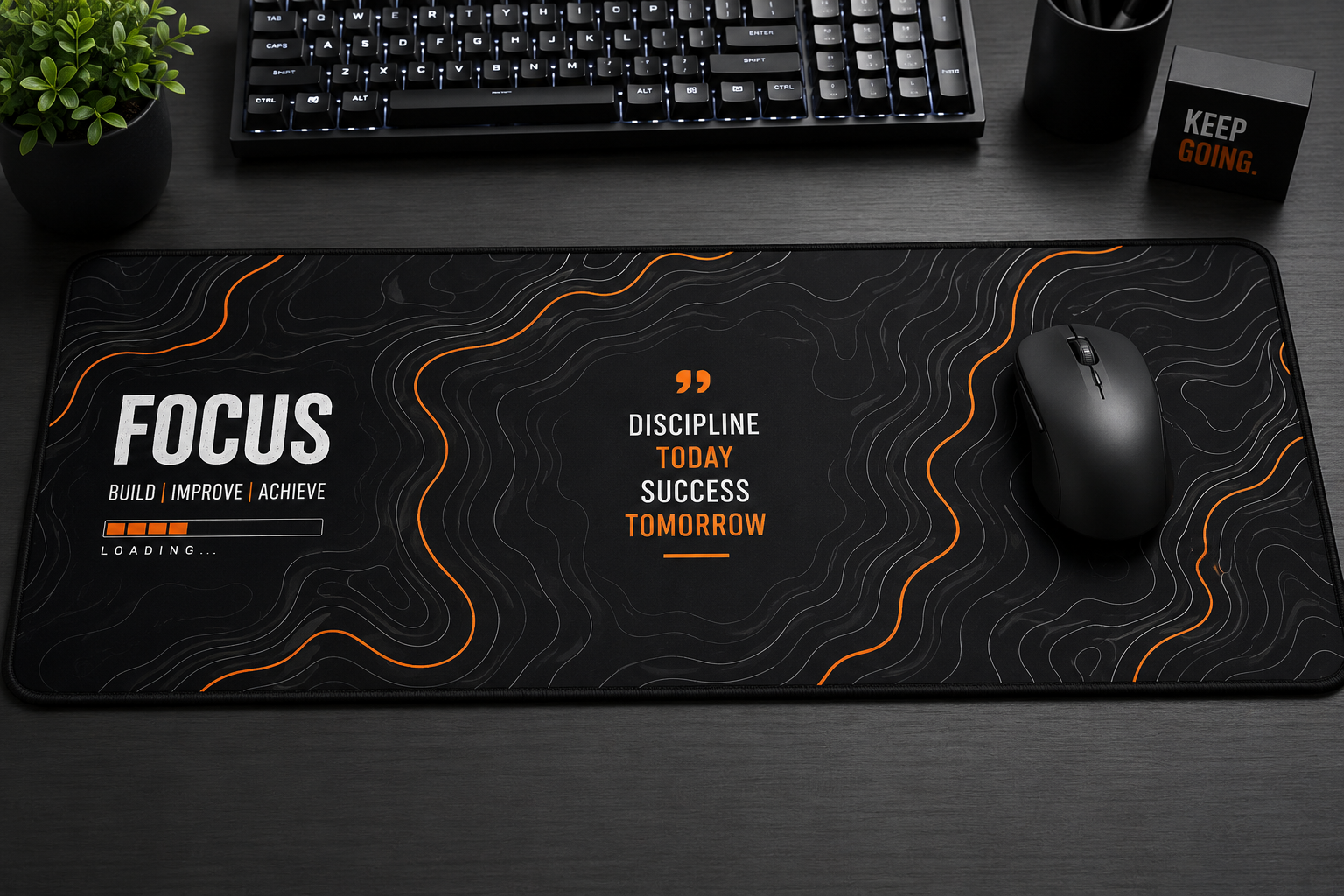
Extended mouse pads cover a large portion of the desk and can hold both the keyboard and mouse. These desk mats have become extremely popular among gamers and modern desk setup enthusiasts.
One major benefit of extended mouse pads is desk protection. They prevent scratches while creating a clean and professional appearance. The larger surface also allows unrestricted mouse movement.
Extended mouse pads are available in many designs, colors, and RGB lighting options. They help create a stylish gaming or work setup while improving comfort and functionality.
Custom Mouse Pads
Custom mouse pads allow users to print their own images, logos, or artwork. Businesses often use branded mouse pads for marketing, while individuals use them to personalize their workspace.
Custom mouse pads can feature family photos, favorite games, anime artwork, motivational quotes, or company branding. They add personality to a desk setup and can also make great gifts.
The quality of custom mouse pads depends heavily on the printing process and materials used. High-quality options maintain vibrant colors and smooth performance for long-term use.
How to Choose the Best Mouse Pad
Choosing the right mouse pad depends on your needs and usage style. Gamers usually prefer larger cloth pads for control and precision, while office users may prioritize comfort and ergonomic support.
Surface texture is another important consideration. Smooth surfaces offer faster movement, while textured surfaces provide greater control. Users should choose based on personal preference and mouse sensitivity settings.
Durability also matters when selecting a mouse pad. Features like stitched edges, water resistance, and anti-slip rubber bases improve longevity and usability. Investing in a quality mouse pad can provide better long-term value.
Aesthetic design is becoming increasingly important as well. Many people want their desk setup to look modern and organized. Mouse pads are now available in minimalist designs, RGB lighting styles, and artistic prints to match different setups.
Cleaning and Maintaining a Mouse Pad
Cleaning a mouse pad regularly helps maintain smooth performance and hygiene. Dust, sweat, and dirt can build up over time, especially on cloth surfaces. This buildup may affect mouse tracking accuracy.
For cloth mouse pads, gentle hand washing with mild soap and warm water is usually recommended. After cleaning, the pad should be air-dried completely before use. Avoid using harsh chemicals because they can damage the surface coating.
Hard mouse pads are easier to maintain. A simple wipe with a damp cloth is often enough to remove dust and fingerprints. Keeping the mouse pad clean can improve both performance and durability.
Users should also avoid placing extremely hot items on mouse pads or folding them aggressively. Proper care helps preserve the shape and surface quality for years.
Are Expensive Mouse Pads Worth It?
Premium mouse pads often include higher-quality materials, improved stitching, waterproof coatings, and optimized surfaces for better mouse tracking. For gamers and professionals, these upgrades can provide noticeable benefits.
Expensive mouse pads are generally more durable than cheaper alternatives. They resist fraying, maintain consistent surfaces, and often feel more comfortable during long sessions. Many high-end brands also invest in sensor optimization technology.
However, not everyone needs an expensive mouse pad. Casual users who browse the internet or perform simple office tasks may be perfectly satisfied with a budget-friendly option. The best choice depends on personal needs and usage habits.
In many cases, a mid-range mouse pad offers the best balance between price, quality, and performance. It provides reliable functionality without unnecessary premium features.
Conclusion
A mouse pad is much more than a simple computer accessory. It improves mouse accuracy, enhances comfort, protects your desk, and creates a better overall user experience. Whether you are gaming competitively, working long office hours, or simply browsing the internet, the right mouse pad can make a noticeable difference.
From cloth and hard-surface pads to ergonomic and extended desk mats, there are many options available for different needs and preferences. Choosing the correct size, material, and design helps create a setup that feels comfortable and performs efficiently.
As computer setups continue to evolve, mouse pads remain an essential part of both productivity and gaming environments. Investing in a quality mouse pad is a small decision that can greatly improve daily computer use.